Stop hunting for unstable free mtproto proxy list that dies within hours. TGV offers a 3‑day free dedicated proxy – private IP, no sharing, full speed, and anti‑DPI protection. No credit card required.
Claim Your Free Dedicated Proxy → ⚡ Also check our daily updated MTProto proxy list in Help Center.🔍 Did you type mtrproto or mtporoto by mistake?
The correct spelling is MTProto. Common misspellings include mtrproto, mtporoto, mptproto, and мтпрото (Russian). You're in the right place – TGV provides official MTProto proxy services and anti‑censorship solutions. View our setup guide →
What is MTProto Proxy (Free Telegram‑Dedicated Proxy)
MTProto is Telegram's official proprietary encrypted proxy, custom‑built for Telegram:
1. It is a Telegram‑only proxy, affecting only Telegram, not other apps on your phone.
2. No need to install or run any extra VPN accelerator – configure directly inside Telegram.
3. Once configured, you can send/receive messages, browse channels, and view content without restrictions – more secure, battery‑friendly, and no global network overhead.
If you are looking for a free MTProto proxy or have encountered mtproto не работает, TGV offers a 3‑day free trial. Follow this guide to claim it and fix connection issues.
Step 1: Enter TGV Free Trial Page
Open your Android phone browser and visit TGV Free Trial Page to find the free trial entry.
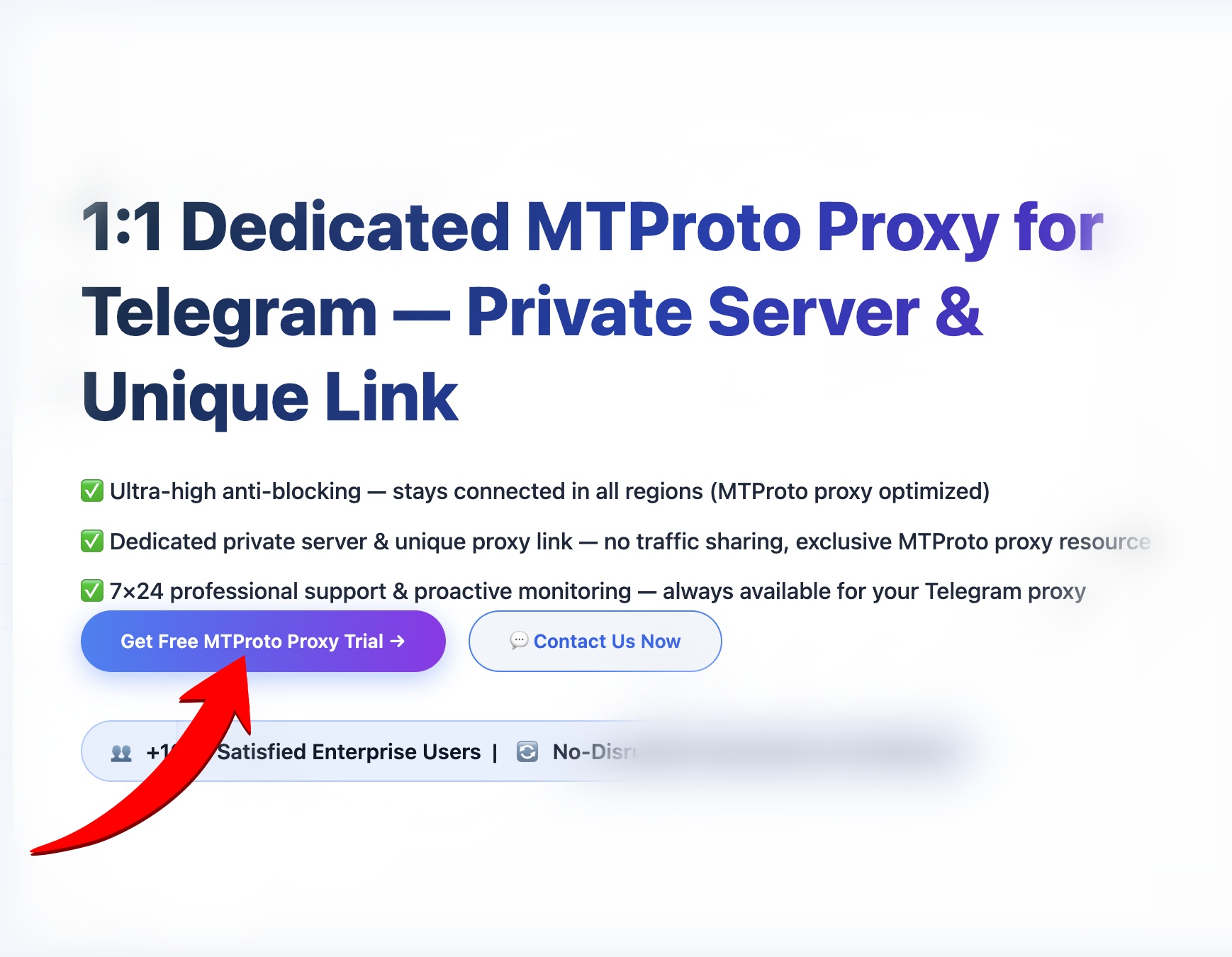
Click the entry to go to the claim page.
Step 2: Fill in your email to get free MTProto proxy
You must provide an email address to participate. The system will send the MTProto proxy configuration to that email. Each email qualifies for one free trial only.
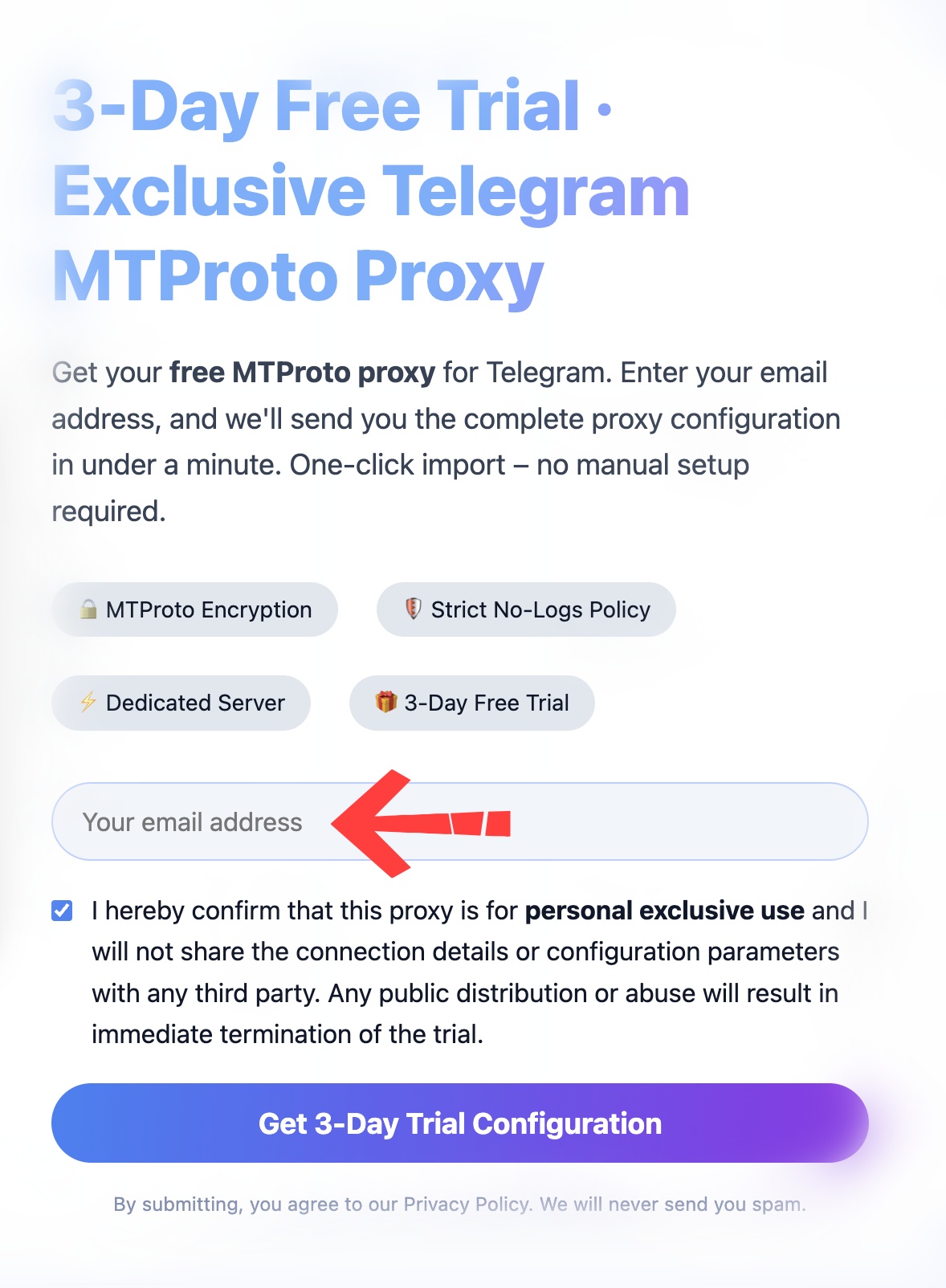
Steps:
1. Enter a valid email address (QQ, NetEase, Gmail, etc.)
2. Click submit/claim
3. The proxy server address, port, secret, and one‑click link will be sent to your email
Tip: Double‑check your email address. Free MTProto proxy resources are limited, please check your inbox promptly.
Step 3: Check your email for MTProto configuration
Open the email you just used. Inside you will find the full proxy details: server address, port, 32‑byte secret, and a Telegram one‑click link.
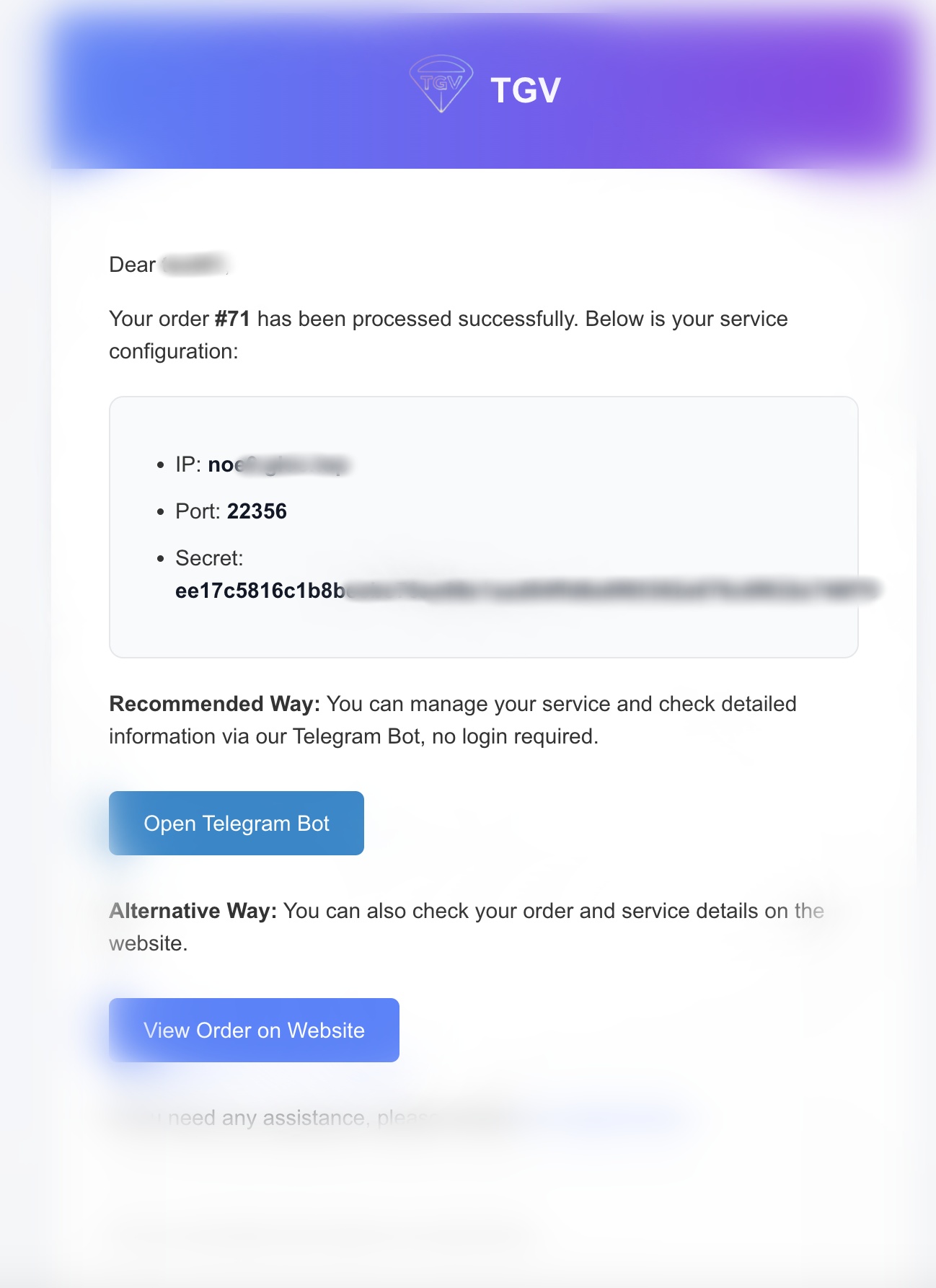
Copy everything and save it. Avoid manual typing to prevent errors.
Step 4: Set up MTProto proxy on Android Telegram
Method 1: One‑click import (recommended for beginners)
1. Copy the tg://proxy link from the email
2. Open it in your browser – Telegram will automatically open
3. Tap "Connect" when prompted
4. Once you see "Connected via proxy" at the top, you're ready to go.
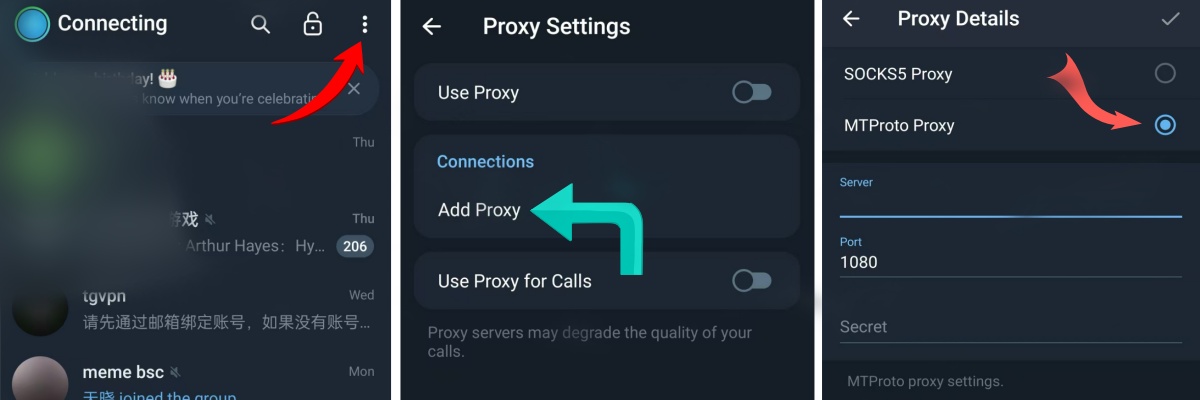
Method 2: Manual configuration (fallback if one‑click fails)
1. Telegram → three horizontal lines (top left) → Settings
2. Go to Data and Storage → scroll to the bottom → Proxy Settings
3. Enable "Use Proxy" → Add Proxy → select MTProto type
4. Paste the server address, port, and secret
5. Save and select the proxy, wait for connection success.
Frequently Asked Questions & Solutions (Including mtproto не работает)
Check your spam folder. Verify your email address is correct. Try a different email address. Still not received? Contact support at @tgvpnio.
Copy the link and open it in a browser. Update Telegram to the latest official version. Use manual configuration as a backup.
Disable any built‑in VPN or private DNS on your phone. Switch between Wi‑Fi and mobile data. Remove the old proxy and add it again. If the issue persists, your MTProto version may be outdated – upgrade to MTG 2.2.8 or switch to TGV's dedicated proxy.
Always copy and paste – never type manually. Check for extra spaces or line breaks.
Update Telegram to the latest version. Path: Menu → Settings → Data and Storage → scroll to bottom → Proxy Settings.
Allow Telegram to run in the background. Do not use public free proxy nodes – prefer official exclusive nodes from TGV. After the trial ends, upgrade to a paid plan for more stable, multi‑node dedicated service.
Yes! The correct spelling is MTProto. You've found the right place. TGV provides official MTProto proxy services and tutorials. See the full setup guide →
🇷🇺 Бесплатный прокси для Telegram | 🇮🇷 پروکسی رایگان تلگرام | 🇨🇳 免费 MTProto 代理 | 📖 Setup Guide
💡 Quick Tips
✅ MTProto is a Telegram‑only proxy – no global VPN required
✅ Prefer one‑click link for minimal steps and fewer errors
✅ Always copy‑paste parameters, never type manually
✅ Use only official channels to protect your account privacy and security
✅ Upgrade to a paid plan after trial for more stable, multi‑node exclusive proxy service
✅ If you see mtproto не работает, try updating to MTG 2.2.8 or contact TGV support